

School systems face many hurdles as they work to bring digital tools into daily lessons. Many campuses try to bring new tools into classrooms, yet run into issues that stretch staff, students, and families. Teachers often want to use new tools but find that slow connections prevent steady lessons, which makes planning harder than expected. This leads to moments where lessons pause, leaving students unsure of what comes next. Some classrooms do not have enough devices, creating wait times that break the flow of group work. Older buildings can make wiring updates difficult, which means classrooms end up sharing limited spots for charging and connecting. Many teachers find themselves juggling updates with little help, which takes time away from lesson planning. Families may also feel left out when devices go home since some homes do not have steady internet. Over time, these barriers create gaps between campuses with strong support and those still trying to catch up.
The mix of technical needs, daily teaching demands, and limited funds creates a cycle that is hard to break. Many schools push through these barriers anyway, yet the uneven access continues to shape student experiences. These challenges call for steady attention from communities, teachers, and school leaders who hope to make digital learning feel natural for every student.
Access Gaps
Many schools continue to deal with gaps that shape how students experience digital lessons each day. Some classrooms begin the morning hoping to use online tasks, yet must adjust once they see how many devices are available. Students who depend on steady access end up waiting longer when supplies run low, which creates pointless pauses during group tasks. Teachers try to keep everyone engaged by giving alternate tasks, yet this split in focus can make lessons feel scattered. Families often share stories about their kids struggling to finish homework at home because their connection runs slowly or drops often. These uneven conditions create a pattern where some students grow comfortable using digital tools while others remain unsure. The longer these gaps stay in place, the more they influence how students see learning through screens. Schools may offer loaner devices or hotspots, yet the number provided rarely matches the need. Many students want to keep pace with classmates, yet the lack of steady access holds them back. These ongoing issues show how access shapes learning far more than many expect.
Device Shortage
Many classrooms still struggle with a limited supply of devices, which leads to delays from the start of each activity. Students often crowd around shared screens, leaving some unable to join the task fully. Teachers try to rotate groups, yet this rotation slows the pace of lessons. Some devices stop working mid-task, causing more delays as teachers search for replacements. Older machines may take a long time to start, and this eats up time meant for learning. These delays can frustrate students who want to stay focused. Teachers may adjust lesson plans to work around the shortage, yet this often means cutting activities. Students who rely on assistive tools may wait longer than others, adding more stress. Homes with limited access face the same problem once devices go home for tasks. These gaps make it harder for students to build steady digital habits.
Home Access Limits
Many students live in areas with weak service, which means online tasks load slowly or not at all. Homes with shared devices often run into scheduling conflicts as siblings try to finish their own assignments. Parents may struggle to help with setup if they are unfamiliar with digital tools. Teaching teams often hear that students cannot complete tasks because the home connection keeps dropping. Some families rely on data plans that run out, making it hard to finish larger assignments. This leads to uneven progress among classmates. Teachers sometimes send paper copies to avoid this issue, yet this creates two versions of the lesson. Students without solid home access may feel behind. Schools try to loan hotspots, yet the supply is limited. This gap between home and school access shapes how students learn each week.
Network Strain
Network strain affects daily routines in ways that teachers and students feel strongly. Many classrooms start the day hoping for a strong connection, yet moments of slowdown appear during the busiest hours. When pages freeze, students lose their rhythm and begin looking around the room, waiting for the lesson to move again. Teachers try to stay patient while refreshing screens, though each pause adds stress to their schedule. During school-wide events that require online tasks, the entire network may slow, leading everyone to adjust plans on the spot. Rural areas experience even heavier strain as local service may not support many devices working together. Students in these areas grow used to unexpected drops, which makes them hesitant during digital tasks that require steady pacing. Teachers often design offline backups as a safety measure, though these take extra time to prepare. Even small drops in connection affect the mood of the class and the confidence of students. These issues happen often enough that many view them as part of daily routines. Over time, the network strain shapes how teachers plan and how students learn.
School Connection Issues
Many campuses still depend on older wiring that struggles to support many devices at once. During peak hours, the signal slows, causing videos to freeze mid-lesson. Teachers may wait several minutes for pages to load, which disrupts the pace of the day. Students lose concentration as they wait for materials to appear. Tech staff often restart access points, yet this only offers a brief improvement. Some rooms sit far from the nearest router, so signals weaken before reaching every desk. Teachers may move desks around to find spots with stronger connections. Too many users connected at once can cause sudden drops. This makes online assessments difficult to complete. Over time, these issues influence how often teachers choose digital tasks.
Rural Connectivity
Rural campuses face added strain because service in the area may already be slow. Field structures or wide spaces can weaken signals across classrooms. Storms may knock out service for hours, stopping lessons entirely. Students who depend on online tasks must wait for the service to return. Teachers often build backup plans just in case the connection drops during activities. Families may drive to public spaces for service, which adds stress to daily routines. Devices meant for online work may sit unused during outages. Students in rural areas may grow used to these pauses in learning. The constant uncertainty affects confidence in digital tasks. These barriers create wide gaps between rural and urban classrooms.
Support Struggles
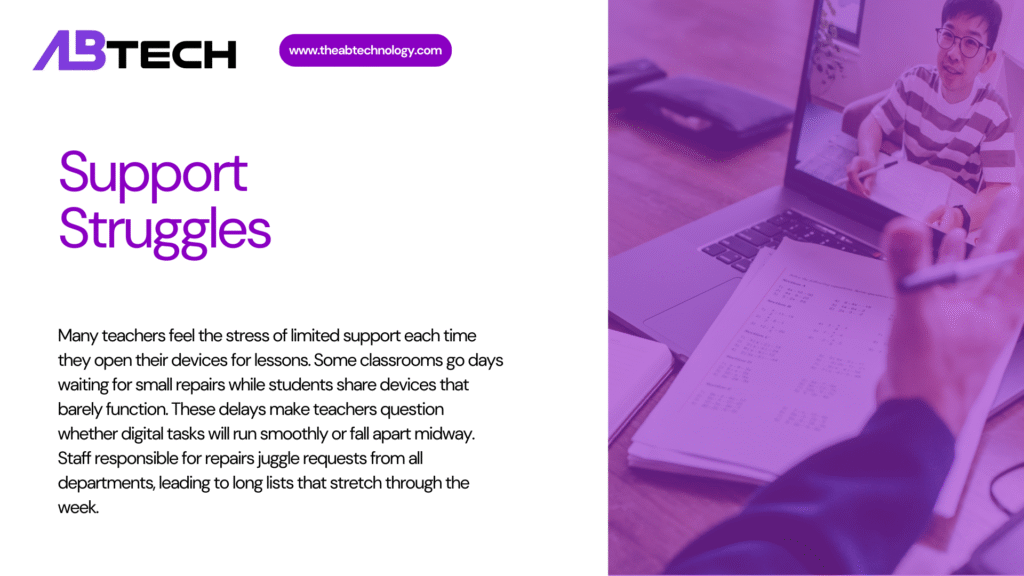
Many teachers feel the stress of limited support each time they open their devices for lessons. Some classrooms go days waiting for small repairs while students share devices that barely function. These delays make teachers question whether digital tasks will run smoothly or fall apart midway. Staff responsible for repairs juggle requests from all departments, leading to long lists that stretch through the week. Students who rely on digital tools for reading, writing, or group tasks end up falling behind when their device stops working. Training sessions may be short and rushed, so teachers often figure things out while teaching, which slows the pace for everyone. Families ask questions about device issues at home, yet teachers cannot always offer answers because they did not receive full guidance themselves. Students may lose trust in digital tasks when small glitches appear often. Teachers feel stuck between wanting to offer modern lessons and wanting to avoid disruptions. These support gaps make digital learning feel heavier than it should.
Limited Tech Help
Many campuses only have one or two staff members to manage all digital needs. Teachers may wait long periods for basic repairs. A simple issue like a frozen screen can interfere with a full lesson. Staff often juggle device setup, network repairs, and teacher training on the same day. This leads to delayed updates that could prevent future issues. Some problems require outside contractors, which costs more time. Teachers may try to fix issues on their own, yet this may cause more errors. Students sometimes wait for days before they can use their assigned device again. Classrooms with frequent issues may shift back to printed tasks. This ongoing strain limits growth in digital learning.
Training Gaps
Many teachers report that new tools arrive without enough training. Some feel unsure about basic functions, which slows the pace of lessons. A lack of practice time leaves teachers guessing during class. Training sessions may be short or held during busy weeks. Teachers often rely on colleagues for help, yet schedules rarely match. Students may sense the uncertainty and lose focus. Lessons built around digital tasks may take longer to finish. Some teachers avoid certain tools because they fear mistakes. This affects how often students experience digital tasks. With steady training, many of these obstacles could be reduced.
Budget Pressure
Budget pressure affects nearly every part of how schools manage digital learning. Many campuses want to update devices, but must spread funds across multiple needs that are equally important. Repairs often take priority, leaving little for new tools that students rely on for lessons. Families notice when children bring home older devices that struggle to hold a charge throughout the day. Teachers request upgrades but keep expectations low because funds are already limited. Some schools try local events to raise money for small improvements, though results vary by area. Without steady funding, maintenance lags, and more devices break over time. This ongoing issue affects how much teachers can rely on digital tools for lessons. Students may feel cautious using devices since replacements can take a long time. These pressures show that achieving digital goals depends on consistent and reliable financial support.
Cost Barriers
Schools often juggle limited funds while trying to keep devices updated. Many tools require ongoing fees that add up throughout the year. When budgets tighten, repairs are delayed. Some classrooms may share older machines that need regular attention. Teachers often hear that upgrades will take longer because funds must cover other needs first. Families may help through fundraising, yet not all areas can support this. The gap between high and low-funded campuses becomes wider over time. Students may notice differences in device quality compared to other schools. Many staff members wish they could replace old machines sooner. Budget limits shape nearly every part of digital learning.
Maintenance Delays
Once devices age, they need more upkeep. Repairs may pile up faster than staff can handle. Broken screens, failing batteries, and stuck keys show up more often. Some parts take weeks to arrive. During this wait, students rely on shared devices. This leads to longer lines for each task. Teachers may avoid certain tasks since they know devices might fail mid-activity. Some rooms keep small toolkits for temporary fixes, yet these only help with small issues. Without steady maintenance, the device pool shrinks. Over time, this affects student progress in digital tasks.
Teaching Impact
Digital issues shape how teachers guide students through day-to-day tasks. Many arrive early to test connections, hoping that the lesson will run without interruptions. Students sense the tension when teachers restart devices before starting the activity. Frequent freezes or drops cause students to lose interest and talk among themselves while waiting. Group tasks that rely on steady screens fall apart once one device crashes, making the entire group shift plans. Teachers spend time calming students who worry during online tasks because they expect something to go wrong. These frustrations build slowly and influence how teachers plan future lessons. Some avoid deeper digital tasks even if they want students to gain more experience. Families sometimes ask why digital homework takes so long at home, yet the teacher sees the same pattern during class. The teaching impact grows each semester, shaping how teachers structure lessons and how students react to them.
Classroom Disruptions
Digital glitches interrupt lessons, causing teachers to shift between plans quickly. Time lost to troubleshooting adds up each week. Students may lose interest during long pauses. Teachers often print backup materials as a safety measure. Digital assessments may not load in time, forcing teachers to adjust scoring windows. Some students become anxious during online tasks because they expect issues. Lessons that rely on timed activities feel harder to manage. Teachers may shorten tasks to avoid disruptions. Students working in groups may lose their flow during outages. These disruptions influence how students view digital learning.
Student Skill Gaps
Some students enter class with strong digital skills, while others need more guidance. Teachers must balance both groups at once. Students with less experience may take longer to finish even simple tasks. This stretches group work schedules. Some students may hesitate to try new tools because they fear mistakes. Others may rush ahead and miss key steps. Teachers try to give balanced help, but time is limited. Homes with fewer resources widen these gaps even more. Students who fall behind may feel discouraged during tech-focused units. The uneven skill levels affect class harmony.